Smart Home Retrofit: How to Automate the Home You Already Live In
Most smart home guides assume you are building from scratch, with open walls and a clean cabling plan. Most people are not. They live in a home they love, often one with history, solid walls and finished decor, and want it to work better without stripping it back to the brick.
A smart home retrofit makes that possible. This guide explains what can be automated in an existing home, where wireless technology does the job and where a little cabling is still worth it. It also covers period and listed properties, and how a well-planned retrofit keeps disruption to a minimum.
What is a smart home retrofit?
A smart home retrofit is the process of adding home automation to a property that is already built and lived in, rather than designing it in during construction. It typically combines wireless control devices, carefully routed cabling where it matters and a central control system, so lighting, heating, blinds, audio, security and networking can be controlled together from keypads, touchscreens and your phone.
The finished result should feel no different from a system installed in a new build. The difference is in how it gets there.
Can you automate a home without rewiring?
Yes, in most cases you can. Modern wireless control technology means much of a smart home can be installed using the existing electrical wiring:
- Lighting control can often be added by replacing existing switches with wireless dimmers and keypads that sit on the existing back boxes.
- Motorised blinds and curtains are available with battery or low-voltage options that need little or no new cabling.
- Heating can usually be brought under smart control through the existing heating system and its controls.
- Security cameras, door entry and sensors come in wireless and low-cabling versions suitable for finished rooms.
What a retrofit does need is a strong network. Wireless control relies on reliable communication around the whole house, and that is the one area where a little cabling pays for itself many times over.
What works well in a retrofit
Lighting control
Lighting is usually the most rewarding place to start. Replacing a cluster of switches with a single engraved keypad, and setting up scenes such as “Welcome”, “Dinner” and “Goodnight”, changes how a home feels from the first evening.
In a retrofit, wireless dimmers and keypads let us bring individual circuits under control without chasing new cables through plaster. Where a room is being redecorated anyway, it is often worth adding wired control at the same time. We plan both so they behave as one system. Our guide to smart lighting control systems goes into the options in more depth.
Blinds, curtains and shading
Motorised shading is one of the most practical retrofit upgrades. Blinds and curtains can open with your morning scene, close at sunset and lower automatically when you leave for the day. Battery-powered motors suit rooms where running power to the window is impractical, while hard-wired motors are ideal where the window reveal can be accessed during decorating.
Heating and climate
Smart heating control can be added to most existing systems. Room-by-room scheduling, away modes and integration with the rest of the house mean the heating follows how you actually live rather than a fixed timer. When you press “Leave” on the way out, the heating, lights and blinds can all respond at once.
Multi-room audio
Music in every room is achievable in an existing home. Where ceilings can be accessed from a loft or an upper floor void, discreet in-ceiling speakers are often straightforward to fit. Elsewhere, compact on-wall or freestanding speakers can still be brought into the same system, so the whole house shares one source and one control. See our guide to multi-room audio systems for more.
Security and access
Cameras, video door entry, gate control and alarm integration can all be added to an existing home. Once they are part of the smart home rather than separate apps, a single “Away” command can arm the alarm, close the blinds and turn off the lights. Our article on smart home security systems covers this in detail.
Where cabling still makes sense
A retrofit is not about avoiding cables altogether. It is about putting them only where they make a real difference. In our experience, these are the areas where a small amount of cabling has the biggest effect on how well the finished system performs:
- Network backbone. Wired connections to well-placed wireless access points give dependable Wi-Fi in every room, which everything else relies on.
- Equipment location. A central rack or cupboard for the control processor, network and audio equipment keeps the system tidy and serviceable.
- Cameras. Security cameras perform most reliably when cabled, and external routes are usually easy to find.
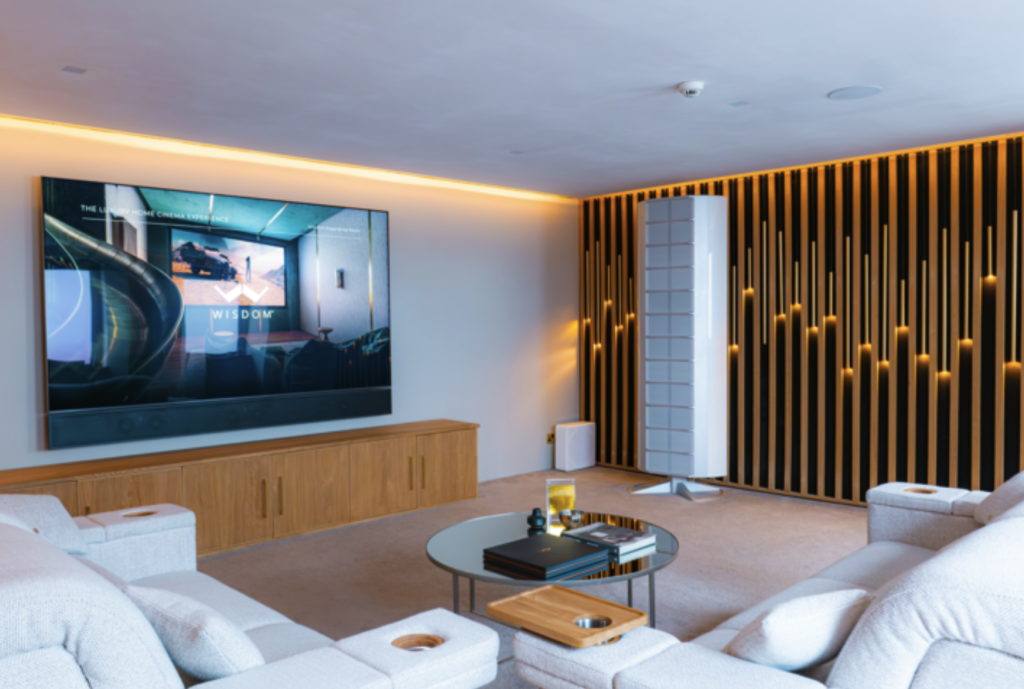
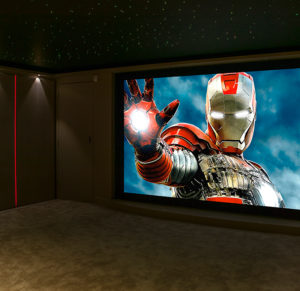
- Main living spaces and cinema rooms. Where a room is being redesigned anyway, it is the right moment to install proper cabling for screens, speakers and lighting.
Experienced installers rarely need to open up finished walls to do this. Lofts, floor voids, existing service routes, skirting and cupboards can usually carry what is needed, with any making good kept to a minimum.
Retrofitting a period or listed property
Older homes bring their own considerations. Solid stone or brick walls, lime plaster, original cornicing and decorative ceilings all deserve careful treatment, and thick walls can weaken wireless signals between rooms.
This is where survey and planning matter most:
- Signal planning. We map how wireless control and Wi-Fi will travel through the building before choosing equipment, and add access points or repeaters where the structure demands it.
- Sympathetic hardware. Keypads and switch plates are available in finishes that suit period interiors, from antique brass to bronze, and can sit alongside or replace original switches.
- Protecting original features. Cable routes are planned to avoid decorative plasterwork, panelling and original floors.
- Permissions. If your home is listed, some works may need listed building consent. It is sensible to speak to your local authority’s conservation officer early, and we can provide clear details of what is proposed to support that conversation.
The aim is a home that keeps its character, with technology that stays out of sight until it is needed.
Planning a retrofit in phases
One of the advantages of a retrofit is that it does not have to happen all at once. Many clients start with the rooms they use most, or with the systems that make the biggest daily difference, and expand later.
Phasing works well as long as the foundations are designed for the whole house from day one:
- Start with the network and control system. These are the backbone, and sizing them for the finished home avoids replacing them later.
- Add lighting and heating control to the main living areas first.
- Bring in shading, audio and security as rooms are redecorated or budgets allow.
- Extend to bedrooms, the garden and secondary spaces in later phases.
Because everything is planned around one central system, each phase simply adds to what is already there. There are no extra apps, no duplicated equipment and no compatibility surprises.
How a well-run retrofit minimises disruption
Living in the house while work happens is the main concern for most retrofit clients. A good installer plans around it:
- A detailed survey before any work starts, so routes and equipment positions are agreed in advance.
- Room-by-room scheduling, so most of the house stays usable throughout.
- Dust protection and careful working practices in occupied rooms.
- Coordination with decorators and other trades where work overlaps.
- A clear handover, so you know how to use every part of the system before the team leaves.
Common retrofit mistakes to avoid
We are often asked to take over smart homes that were added to piece by piece. The same problems come up again and again:
- Buying products before having a plan. Individual smart devices bought one at a time rarely work together well, and usually end up controlled by several different apps.
- Relying on a single router. Even the best wireless devices struggle on a network that cannot reach every room.
- No central control. Without a single system tying everything together, scenes like “Goodnight” or “Away” are impossible.
- Ignoring future phases. A control system sized only for today’s rooms may need replacing as soon as the project grows.
If you have inherited a system like this, it can usually be rescued rather than ripped out. Our system recovery service exists for exactly that situation.
How Finite approaches a smart home retrofit
For more than 20 years, Finite Solutions has been designing and installing smart homes across the UK, and a large part of that work has been in existing properties, from Victorian townhouses to country homes.
Every retrofit starts with a conversation about how you live in the house, followed by a full survey. From there, our in-house team designs a single system around your home, installs it with care and hands it over with training, so it is easy to use from day one. Our aftercare and support team then looks after it for the long term.
You are welcome to visit one of our showrooms in Leeds, Cheshire or London to see and try the technology before you decide.
Frequently asked questions
Can you add a smart home system to an old house?
Yes. Wireless control technology and careful cable routing mean most older homes, including period and listed properties, can be fully automated. A survey identifies the best approach for the building’s construction, particularly where thick walls affect wireless signals.
Do you need to rewire a house for home automation?
Usually not. Many retrofit systems use the existing electrical wiring, with wireless dimmers, keypads and motors replacing standard switches. Some targeted cabling for the network and key equipment is recommended, but full rewiring is rarely needed.
How disruptive is a smart home retrofit?
Disruption is normally limited. Most work uses lofts, floor voids and existing routes rather than opening finished walls. Work is scheduled room by room so the rest of the house stays usable.
Can a smart home retrofit be done in stages?
Yes. Many clients start with key rooms or systems and expand over time. The important thing is to design the network and control system for the whole house at the start, so later phases simply plug in.
Will smart home technology suit a period interior?
It can be almost invisible. Keypads come in a wide range of traditional finishes, speakers can be hidden in ceilings, and equipment sits out of sight in a cupboard or plant room.
Can you take over a smart home that someone else installed?
In many cases, yes. We regularly assess and recover systems installed by others, keeping what works and fixing or replacing what does not.
Start with a conversation
If you would like your current home to work harder for you, the best first step is a conversation about how you use it. Our team can visit, survey the property and explain what is possible, with no pressure to commit.
Explore our smart home automation services, see how our smart home installation process works, or arrange a consultation.